Synth Pads: Where They Work, Presets to Try, and How to DIY
Adam King
Your lo-fi house track feels hollow between the kicks. Your hip hop track is missing that drippy vibe you want. You’re scoring a moody post-break-up scene, but your leads are too stabby and high-energy.
A possible fix? Pads, pads, pads. We’ve spent the better part of a decade making them, and there’s a bit of mystery around how to use them, so we figured we’d break things down nice and easy. And if you don’t care about the specifics and just want some beautiful pads to play with, we also got you covered with some recommendations.
Your lo-fi house track feels hollow between the kicks. Your hip hop track is missing that drippy vibe you want. You’re scoring a moody post-break-up scene, but your leads are too stabby and high-energy.
A possible fix? Pads, pads, pads. We’ve spent the better part of a decade making them, and there’s a bit of mystery around how to use them, so we figured we’d break things down nice and easy. And if you don’t care about the specifics and just want some beautiful pads to play with, we also got you covered with some recommendations.
To really boil it down, a synth pad is a sustained sound made by a synthesizer. The sound can be melodic or rhythmic, but most of the time it’s a constant note or chord. If it does change or evolve, it’s done slowly.
Pads vs leads
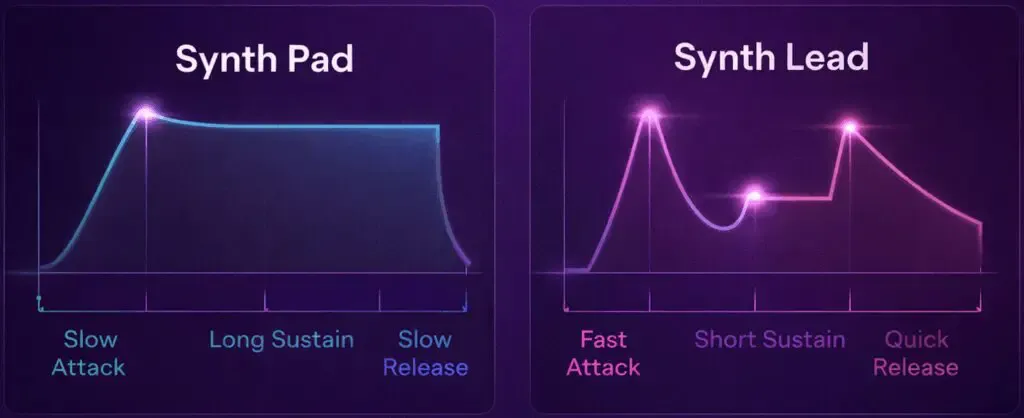
A synth pad also typically comes in and dissipates gradually, using a more bell-curve-shaped loudness envelope. This, plus its more airy characteristics, separates synth pads from synth leads, which have more triangularly-shaped envelopes and produce more sudden, there-and-gone sounds.
For a deeper, interactive breakdown of synths in general, check out Ableton’s guide.
What Do You Do With Them?
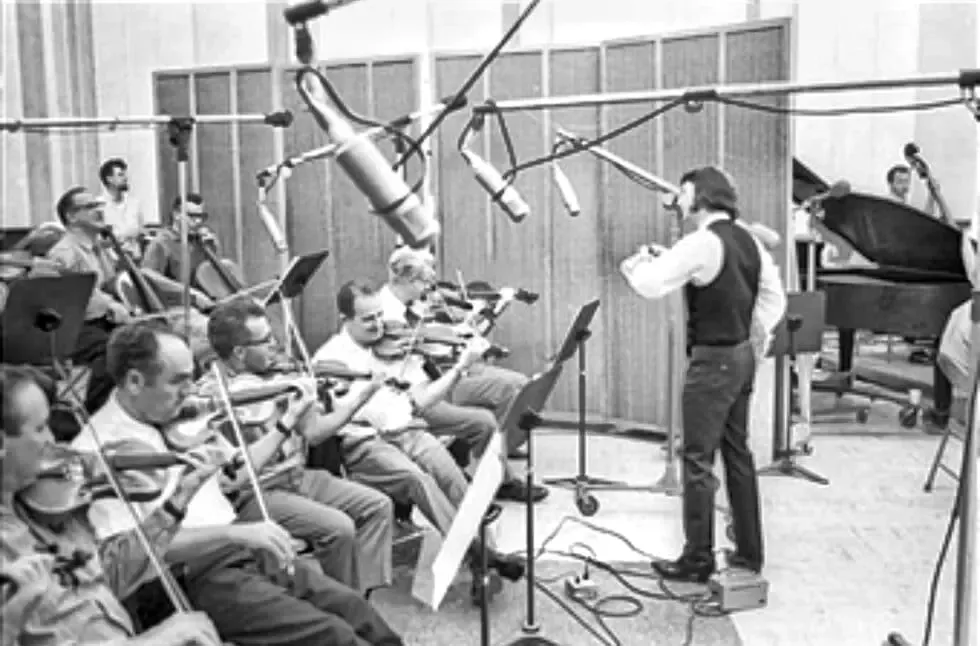
Similar to Phil Spector’s Wall of Sound in the 1960s, and even string ensembles going as far back as the 17th century, synth pads connect, add depth to, or fill space between other components of an arrangement.
Pads usually stay in the background to elevate more leading vocals or instruments. But in some cases, like ambient music or soundscapes, where ambience or vibe is more important, pads can be leads.
A great example of pads supporting vocals.
What Kinds of Synth Pads Are There?
Lots and lots, since pads are the result of tinkering with sound produced by a synthesizer. So it’s more useful to know the different kinds of synthesizers (at least some of the more popular ones) and their sound sources, as this affects what kinds of pads they can produce.
Sample-based synthesizers
Unlike the other styles of synths below, sample-based synthesizers use samples as their sound source instead of waveforms. Strings, piano, existing pads; any sample is fair game, so this style can be useful in all kinds of scenarios. You can even blend multiple samples together, like in CUBE (up to eight at once).
That classic synth sound: warm and buzzy. You start with a harmonically rich sound (like a saw or square wave) and subtract frequencies using a filter. Examples are Sequential Circuits Prophet 5 or the Roland Juno.
Frequency modulation (FM) synthesizers
Instead of filtering a wave, FM synths use one oscillator (sound generator) to rapidly change another oscillator’s frequency. Good for brighter, glassier sounds and imitating acoustic sounds such as brass and bells. Ambient legend Brian Eno is famous for championing this style of more complicated synth using the Yamaha DX7.
Wavetable synthesizers
Whereas analog and FM synths use one wave, wavetable synths like the PPG Wave 2 slide or morphbetween a bunch of waves while the note is playing. This makes them good for evolving, sci-fi, more modern sounds.
Producing Analog vs Digital
When it comes to sitting down and actually using a synth pad, you can go analog or digital (or both).
Analog synth pads
Not reliant on computers or DAWs. Sound signal is created by a physical device, and you control the path and character of that signal through physical keys, knobs, dials, and cables between your different devices (or from just one device directly to your speakers and/or recording device).
King Gizzard touring with an incredible analog synth setup.
Digital synth pads
Reliant on computers and DAWs. Signal is created by a digital instrument or VST inside your DAW, and you control everything with your keyboard, mouse, and any MIDI devices you’re using.
One isn’t better than the other, but there’s a bit of a higher bar of entry with analog synths than with digital synths. They’re usually more expensive, you need more supporting equipment to make them work, and each synth is something new you have to physically possess and learn to use.
With digital, you just need a computer, a DAW, and maybe a MIDI instrument (although your computer keyboard can work as a start). You’ll also probably want to get a dedicated pad VST at some point, but most DAWs come with stock pad presets.
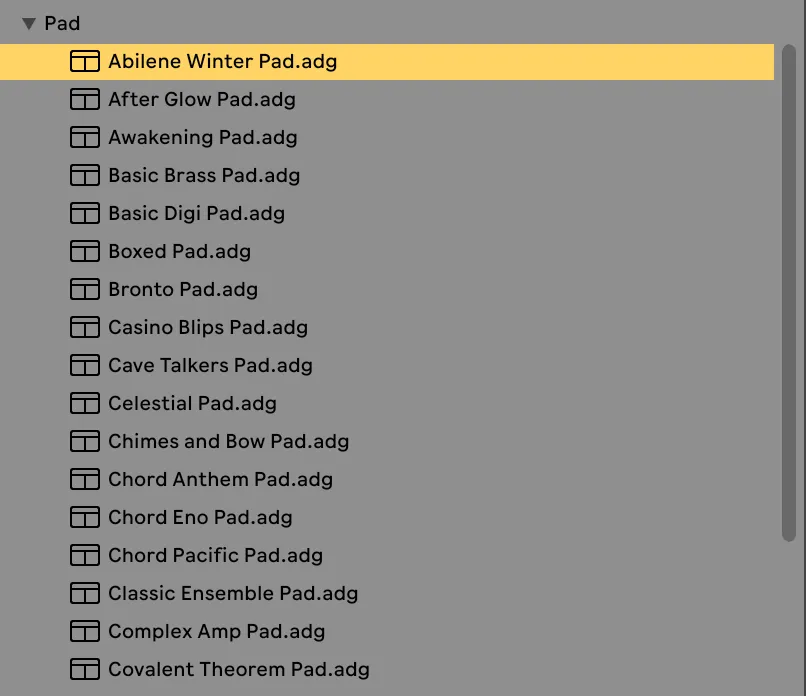
Searching “pads” in Ableton brings up lots of options.
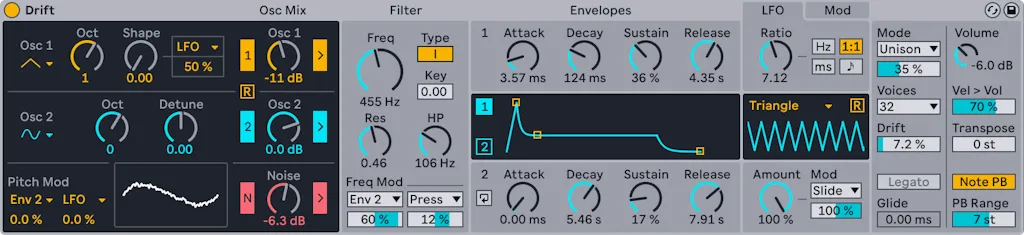
In Ableton’s case, it also has a deep synth creation tool called Drift you can use out of the box.
What Drift looks like in Ableton.
Many analog synths are also replicated in digital VSTs, like in CUBE’s Neon Expansion Pack, meaning you can get most of what analog has to offer digitally for a fraction of the cost and difficulty.
Assuming you’re going the digital route, making a synth pad means finding a sound source you like, shaping its signal, adding effects, and EQing it with everything else in your track. Here’s how that looks in our sample-based synthesizer, CUBE Mini.
1. Pick a sound source (or preset)
Choose a sound source, a combination of up to eight at once, or one of the 120 available presets to suit the vibe you’re going for.
2. Shape your sound source(s)
Reverse, loop, arpeggiate, and tweak your sound sources to your heart’s content.
3. Add FX
Play with filters, EQ, distortion, bitcrusher, compressor, chorus, phase, delay, reverb, and a limiter. Throw your sound into our creative effects engine, BEAM, for even deeper FXs control.
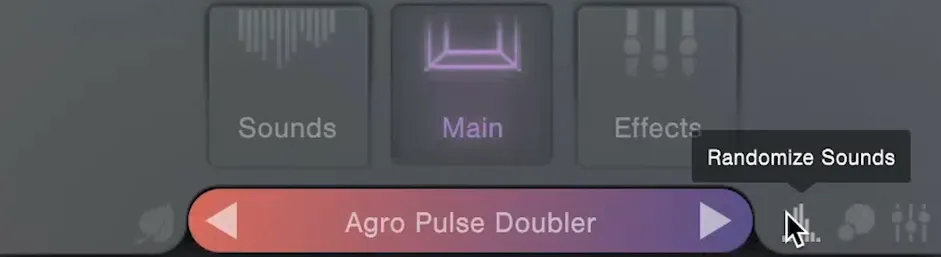
Want to throw in some randomness? Click the Randomize Sounds button in CUBE.
4. EQ everything
With your synth pad itself sounding right, all that’s left is to make it work with the other elements of your track. Unless your pad is the lead instrument, start by cutting some frequencies around 3–4kHz. This is where our ears are most sensitive, so pads that are strong in this range can make other, more leading parts of your song (vocals, for example) sound muddy or harder to hear.
Next, play the pad solo and use a spectrum visualizer to see which frequencies are most prominent. Now do the same with the rest of your arrangement without the pad. See where those peaks and valleys lie across the spectrum.
Now, with this complete dynamic footprint in mind, add the pad back into the mix and see whether it complements the rest of the track. Don’t overcomplicate things: Just make sure it’s doing the job you want it to. Experiment until you get there.
How to Turn Anything Into a Pad
Just need a robust, dedicated pad effect and nothing else? Try our free plugin, Haze. It takes any sample or instrument you give it and transforms it into a shimmering, wide, atmospheric texture.
As much as we love pads, there’s a lot of other ways to add texture, atmosphere, and fill empty space in your arrangements.
Field recordings
Lots of everyday noises can be used to fill gaps in sound. Think birds chirping, waves crashing, sounds of life in subways, bars, and cafes. There are entire genres, like Botanica, that build around these types of natural sounds.
Vinyl crackle
Vinyl noise can definitely be overdone, but a tasteful amount of crackle can turn a clinical, overly-digital sounding song into one with warmth and soul. Working with samples that have crackle built in can help avoid that artificial, laid-on-top vinyl sound.
Mixing
How you mix your track plays a huge role in how much space it feels like it has. Positioning different instruments across the stereo field (left and right) creates a wider, fuller, more immersive listening experience than stacking everything in the center.
3 Next Steps to Take With Synth Pads
So that’s a lot. Here’s where to go now:
Search in your DAW to see what pads you already have and get tinkering
When you’re ready to venture out, CUBE Mini’s 120 presets are a perfect next step
Level up with the full version of CUBE for over 500 digital presets and 100+ instruments
Combined with Lunacy’s other plugins, like BEAM and HAZE, you’ll have everything you need to create any pad you want.